
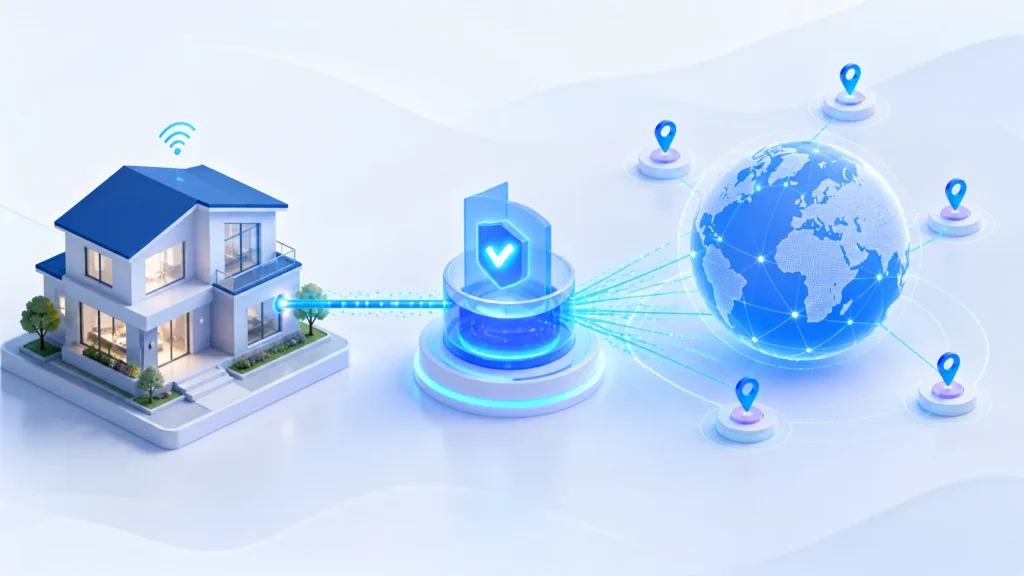
When we visit a website, the site can usually determine the visitor’s country, city, and internet service provider through the IP address.
If you want to view web content from another region, test localized website experiences, or collect public data, you may need a proxy IP. A residential proxy is one of the most common options.
So, what exactly is a residential proxy? How is it different from a regular datacenter proxy? And how should you choose between dynamic and static residential proxies? This article explains these questions clearly and simply.
Residential proxies use residential or ISP network IPs as the exit for accessing websites.
1. What Is a Residential Proxy?
A residential proxy is a proxy service that uses residential network IPs as its exit.
Normally, your device connects directly to the target website, and the website sees your current network’s public IP. With a residential proxy, your request is first sent to a proxy server and then routed to the target website through a residential or ISP network IP.
The process can be simplified as:
Your device → Proxy server → Residential IP → Target websiteAt this point, the target website usually sees the proxy exit IP rather than your original public IP.
Residential IPs are usually associated with home broadband carriers, so their network attribution is closer to ordinary internet users. This is also the clearest difference between residential proxies and datacenter proxies.
However, a residential proxy mainly changes the network exit. It does not mean complete anonymity. Cookies, login accounts, browser environments, and access behavior can still be identified by websites.
2. How Does a Residential Proxy Work?
When using a residential proxy, you enter the proxy address, port, and authentication information in a browser, application, or scraping tool.
After the connection is established, the proxy service selects an exit IP based on your settings. This IP can come from a specified country, and the service may also support state, city, or carrier selection.
When the target website returns content, the proxy server sends the result back to your device. Throughout the process, the proxy handles request forwarding and exit IP allocation.
Common connection protocols include HTTP, HTTPS, and SOCKS5. HTTP(S) is suitable for web pages and API requests, while SOCKS5 can support a wider range of network applications.
3. Dynamic Residential Proxies vs Static Residential Proxies
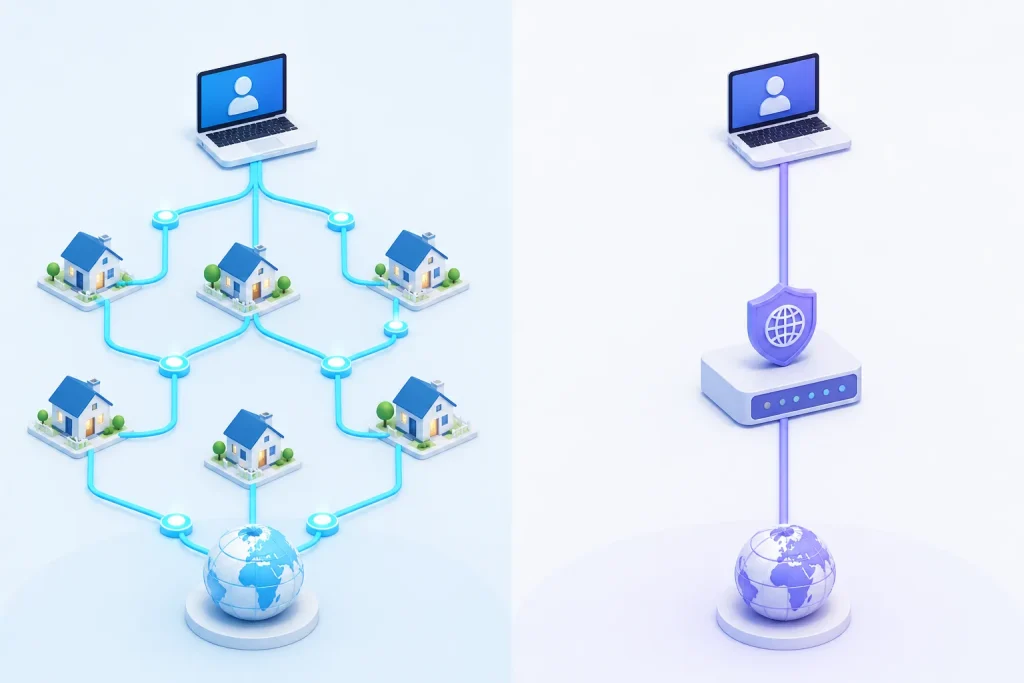
Residential proxies are not all the same. Based on whether the IP changes during use, they are generally divided into dynamic residential proxies and static residential proxies.
Dynamic Residential Proxies
A dynamic residential proxy, also known as a rotating residential proxy, assigns exit addresses from a residential IP pool. The IP can rotate by request, by time, or by session.
It is more suitable for businesses that need exits in multiple regions, such as:
- Public product price and stock monitoring
- Search result and SEO ranking checks
- Ad display and landing page verification
- Website language, currency, and regional content testing
- Compliant market research and public data collection
Dynamic residential proxies are usually billed by traffic, such as 10GB, 50GB, or 100GB packages. The traffic used is deducted from the package.
If a task needs to temporarily keep the same IP, you can use a sticky session. However, sticky sessions usually last only several minutes or hours and are not equivalent to a long-term fixed IP.
Static Residential Proxies
A static residential proxy provides a fixed IP during the subscription period. Many static residential proxies on the market are also called static ISP proxies.
These products are usually charged by IP quantity and rental period, such as 5 IPs for 30 days. As long as the subscription remains valid, the IP usually does not rotate automatically.
Static residential proxies are more suitable for:
- Businesses that require a fixed network exit
- Configuring server or backend IP whitelists
- Maintaining the same network session for a long time
- Continuous regional testing of websites and applications
- Authorized remote work and system access
Note that “static” does not mean the IP permanently belongs to the buyer. What the user purchases is the right to use the IP for a certain period. If the subscription is not renewed, the IP is usually reclaimed by the provider.
Also, although some static ISP proxies use ISP-registered IP ranges, the servers may be deployed in datacenters. They carry ISP network attributes but do not necessarily come from real home devices.
4. What Is the Difference Between Residential and Datacenter Proxies?
A datacenter proxy uses IPs provided by cloud servers or datacenters.
Both types have their own advantages:

| Comparison Item | Residential Proxy | Datacenter Proxy |
|---|---|---|
| IP source | Residential nodes or ISP ranges | Cloud providers or datacenters |
| Regional resources | Usually richer | Depends on datacenter locations |
| Speed | May be affected by residential nodes | Usually faster and more stable |
| Price | Usually higher | Usually lower |
| Common billing | By traffic or by IP | Mostly by IP |
| Suitable use | Regional verification, market research, localization testing | Website monitoring, development testing, general scraping |
If your task focuses more on speed and cost, you can test datacenter proxies first. If you need residential or ISP network attributes and broader country and city coverage, residential proxies are usually more suitable.
5. How to Choose a Residential Proxy?
When choosing a residential proxy, do not rely only on the IP pool size advertised by providers. The following questions are more important.
Do you need a fixed IP?
For long-term use of the same exit, choose static residential or static ISP proxies. If you need to constantly change regions and IPs, choose dynamic residential proxies.
Which countries and cities do you need?
Confirm that the provider has real-time available nodes in your target regions. Advertising coverage in many countries does not guarantee sufficient inventory in every country at all times.
Are traffic and concurrency sufficient?
Dynamic residential proxies are usually charged by GB, so estimate your actual monthly traffic. For static proxies, also confirm port speed, concurrent connections per IP, and fair usage policies.
Is the IP source transparent?
A legitimate residential proxy provider should clearly explain IP sources, node authorization, privacy policy, and acceptable use policy. Low-cost proxies with unclear sources may carry stability and compliance risks.
Does it support the protocols you need?
Before purchasing, confirm support for HTTP(S), SOCKS5, username-password authentication, IP whitelists, and sticky sessions.
6. How to Test Before Purchasing?
The safest approach is not to buy a large package immediately, but to test with a small amount of traffic or a few IPs first.
During testing, focus on:
- Whether the IP country, city, and carrier are accurate
- Connection speed and latency at different times
- Whether target websites can be accessed normally
- Whether sticky sessions on dynamic proxies remain stable
- Whether static proxies still use the same IP after reconnection
- Whether unavailable IPs can be replaced promptly
- Customer service and technical support response speed
Third-party IP scores can be a reference, but they cannot represent overall quality. Different databases may judge the same IP differently, so test results in your actual business environment are usually more valuable.
7. Frequently Asked Questions
Are residential proxies legal?
A proxy itself is a general-purpose network tool. Compliance depends on IP source, usage purpose, target website rules, and local laws. Choose authorized residential proxy networks and follow website terms of service, privacy rules, and data protection requirements.
Is an ISP proxy the same as a static residential proxy?
Not exactly. ISP describes the IP network attribute, while static describes whether the IP changes. Only products clearly labeled as Static ISP, Fixed IP, or Non-rotating should be understood as static ISP proxies.
Should I choose IPv4 or IPv6 residential proxies?
IPv4 offers better compatibility and works with most websites and software. IPv6 is cheaper, but some websites and clients do not support it. Test compatibility before purchasing IPv6 proxies.
Are residential proxies the same as VPNs?
No. A VPN usually creates an encrypted tunnel for the entire device, while a proxy is generally configured separately in specific software. Residential proxies focus more on exit IPs and regional resources, while VPNs emphasize encrypted transmission of device traffic.
8. Conclusion
The main value of residential proxies is providing network exits with residential or ISP attributes, as well as richer country and region resources.
Dynamic residential proxies are suitable for tasks that require IP rotation and exits in multiple regions. Static residential or ISP proxies are better for businesses that need fixed IPs and continuous sessions. Datacenter proxies have advantages in speed and cost.
Do not compare price alone. IP source, regional inventory, traffic rules, connection speed, concurrency limits, and after-sales policy all affect the actual user experience.
If you are comparing different types of proxies, visit EleProxy to learn about dynamic residential, static residential, and mobile proxy products and choose the right solution based on your business needs.